
About Pac-Man 2: The New Adventures
Pac-Man 2: The New Adventures is a graphic adventure released by Namco in 1994 for the Super Nintendo and Sega Genesis. Known in Japan as Hello! Pac-Man, it replaces the traditional maze-chase formula with an interactive cartoon set in Pac-Land, where Pac-Man lives with his family.
A Character with a Mind of His Own
Unlike most side-scrolling games, Pac-Man 2 does not give players direct control over the main character. Pac-Man walks, investigates objects and reacts to events independently. Your role is to influence his decisions using a slingshot and the Look command.
The slingshot can knock objects loose, attract Pac-Man's attention, activate parts of the environment or prevent him from walking into danger. The Look command encourages him to investigate a particular direction, although he does not always cooperate.
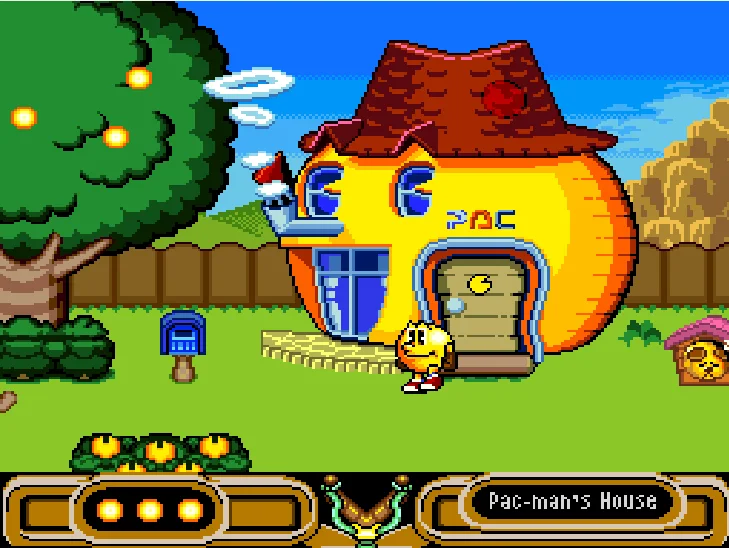
Pac-Man's emotional state is an important part of solving puzzles. When frightened or upset, he may refuse to approach certain objects. When confident or angry, he can react quite differently to the same situation. Food, successful actions and encounters with other characters can change his mood.
Missions Around Pac-Land
The adventure begins with a simple request from Ms. Pac-Man to find milk for Pac-Baby. Later missions take Pac-Man into the mountains, the city and underground areas as he searches for missing objects and confronts the Ghost Witch.
Some sequences introduce more demanding challenges, including hang gliding and mine cart rides. These require careful timing with the slingshot rather than conventional platforming controls.
Exploring the environment also reveals optional interactions, hidden items and humorous situations that are not required to finish the main story.
Power Pellets, Items and Passwords
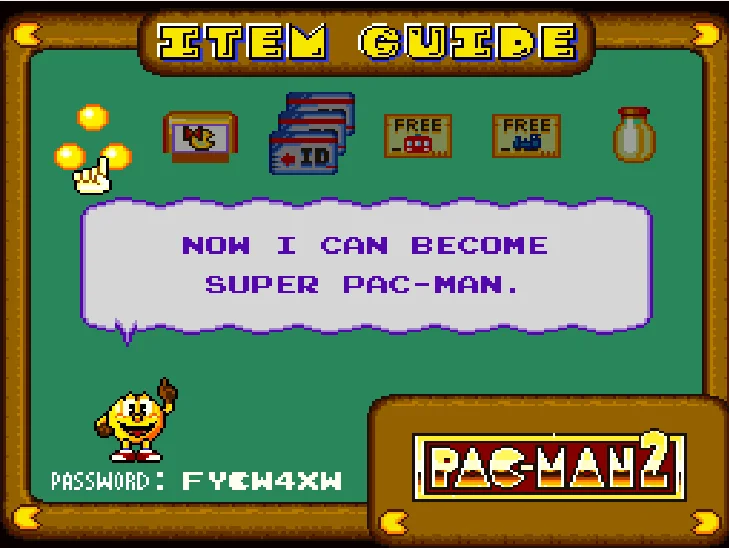
Power Pellets allow Pac-Man to transform into Super Pac-Man, giving him the ability to defeat ghosts. Other collectible items include transportation passes, arcade tickets and game cartridges.
The Item Guide explains collected objects and displays the current password. Passwords allow players to resume the adventure without starting over, although they do not preserve every optional discovery.
Classic Arcade Games
Despite its departure from traditional Pac-Man gameplay, the adventure contains playable versions of both Pac-Man and Ms. Pac-Man. These can be accessed through the arcades found in Pac-Land, with the latter requiring three hidden game cartridges.
This is a notable feature of the SNES edition. The Sega Genesis version includes Pac-Jr. instead of Ms. Pac-Man.
Special Controls
- D-Pad: Move the slingshot cursor.
- B: Hold to draw the slingshot, then release to fire.
- Y + Direction: Ask Pac-Man to look in the selected direction.
- X: Hold and release to fire a Power Pellet at Pac-Man.
- Start: Open the Item Guide and view the current password.
Pac-Man moves independently. Use the slingshot and Look command to influence his actions rather than attempting to control him directly.
Screenshots
ROM Information
- File name
- Pac-Man_2_-_The_New_Adventures
- File size
- 1,572,864 bytes (1536 KiB)
- Platform
- Super Nintendo Entertainment System
- Internal title
- PACMAN2
- Region
- USA
- ROM size
- 12 Mbit (1.5 MiB)
- ROM mapping
- LoROM
- Rom Version
- 1.0
- Copier Header
- None
- Stored Checksum
- 6781
- Checksum Complement
- 987E
File checksums
- CRC32
- 9FC62BCC
- MD5
- ed318ba5888f6e50851f166fee7023e2
- SHA-1
- 405669090d002949b2d69ce3d6401f21531103c4
ROM header values may come from the original game.
FAQ
How do I control Pac-Man in Pac-Man 2?
You do not move Pac-Man directly. Use the slingshot to interact with objects and hold the SNES Y button together with a direction to draw his attention.
How do I play the original Pac-Man arcade game?
Select Password from the main menu and enter PCMNDPW to access the original Pac-Man game.
How do I unlock Ms. Pac-Man?
Collect the three hidden game cartridges during the adventure, or enter MSPCMND on the password screen to access Ms. Pac-Man directly.
How do I check my completion percentage?
Open the Item Guide by pressing Start, then hold Select and X on the SNES controller. The percentage appears above the current password.